MyClawBots

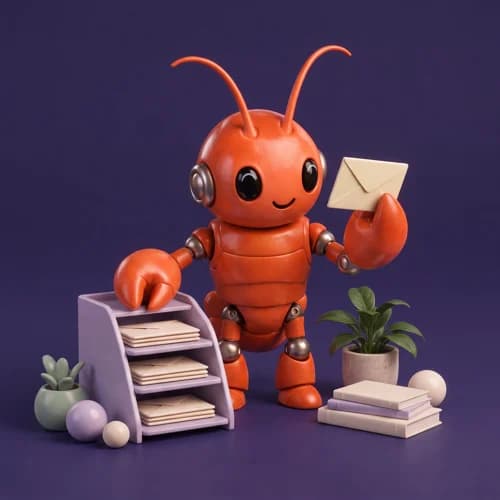
Personal assistant
The inbox ally
Find the emails that matter. Draft the replies. Make room for your day.
A little help. A lot more done.
Meet your own AI bots. Give them the busywork, connect the apps you use, and get back to the work that feels like you.
Your workspace. Your tools. No code required.
Make yourself at home.
Your tools can come too.
Start with one thing you would love to hand off. Here’s what that could look like.
Example 1 of 4: Post my carousel. You ask your bot on Telegram to post a carousel. It reads the slides, writes a caption, unlocks Instagram from your vault and publishes at 6 PM.
An illustrative example. What your bot can do depends on your instructions and the apps you connect.
A specialist for the task. Instructions that make it yours. Pick a starting point and shape your own team.
Find your kind of helpPersonal assistant
Find the emails that matter. Draft the replies. Make room for your day.

Research agent
Turn a big question into a useful brief, with sources you can check.

Content creator
Get from a rough idea to a first draft you can make your own.
No servers to set up. No workflow diagrams to untangle. Just a conversation.
Let’s meet your botChoose a ready-made template for research, content, operations, or everyday assistance.
Connect the apps your bot needs. You decide which accounts and permissions to share.
Give your bot a task in plain language. Keep the conversation and the work in one workspace.
Ten ready-made bots, each with its own skills and the apps it works with. Open one to see what it does, then get it in a click.
Meet the whole team
Social & marketing
From a rough idea to a post in your voice, ready to publish.

Social & marketing
Answers comments, spots what people love, keeps the conversation going.

Social & marketing
Plans the campaign, writes the variants, reads the results.

Social & marketing
Keeps an eye on your Facebook and Instagram ads and suggests what to tweak.

Sales & support
Researches your leads and drafts follow-ups that sound like you.

Sales & support
Answers the common questions and hands you the tricky ones.
Each bot gets an isolated runtime. Your connections, instructions, and conversations stay in your workspace. You choose the tools it can use.
Start with a personal assistant or give your whole team a hand. Pick the capacity that fits your day.
Showing monthly plans.
For personal projects and getting started
$19 / month
$19 billed monthly
Choose LiteFor power users who rely on AI daily
$39 / month
$39 billed monthly
Choose ProFor heavy workloads and maximum performance
$79 / month
$79 billed monthly
Choose MaxFor teams running AI together — shared workspaces & collaboration
$59 / seat / month
$118 billed monthly for 2 seats
Choose TeamMyClawBots gives you your own AI bots in a private cloud workspace. Choose a ready-made specialist, connect the apps it needs, and give it instructions through chat.
No. Pick a bot template, connect your apps, and describe what you want it to do. We take care of hosting and runtime updates.
Bots can help with email, calendars, research, content, and project tasks. The actions available depend on the apps you connect and the permissions you grant.
No. Your bots run in the cloud. Lite starts on demand; Pro and Max offer always-on runtimes for ongoing work.
Yes. Each bot runs in its own isolated environment. You choose which apps and credentials to connect. AI requests are processed by the model provider configured for your bot.
Yes. You can manage your subscription from billing settings. Choose a plan that fits your workload and review its included usage before subscribing.
Give the everyday work a new pair of claws.
Create your first bot