 MyClawBots
How to spin up a content posting agent in about a minute
- tutorial
- content
- agents
You want content going out regularly but you do not want to become a content person. Fair. A content posting agent writes the drafts and handles the posting schedule, and you stay the approver, not the author.
Here is the entire setup on MyClawBots. It is four screens and about a minute.
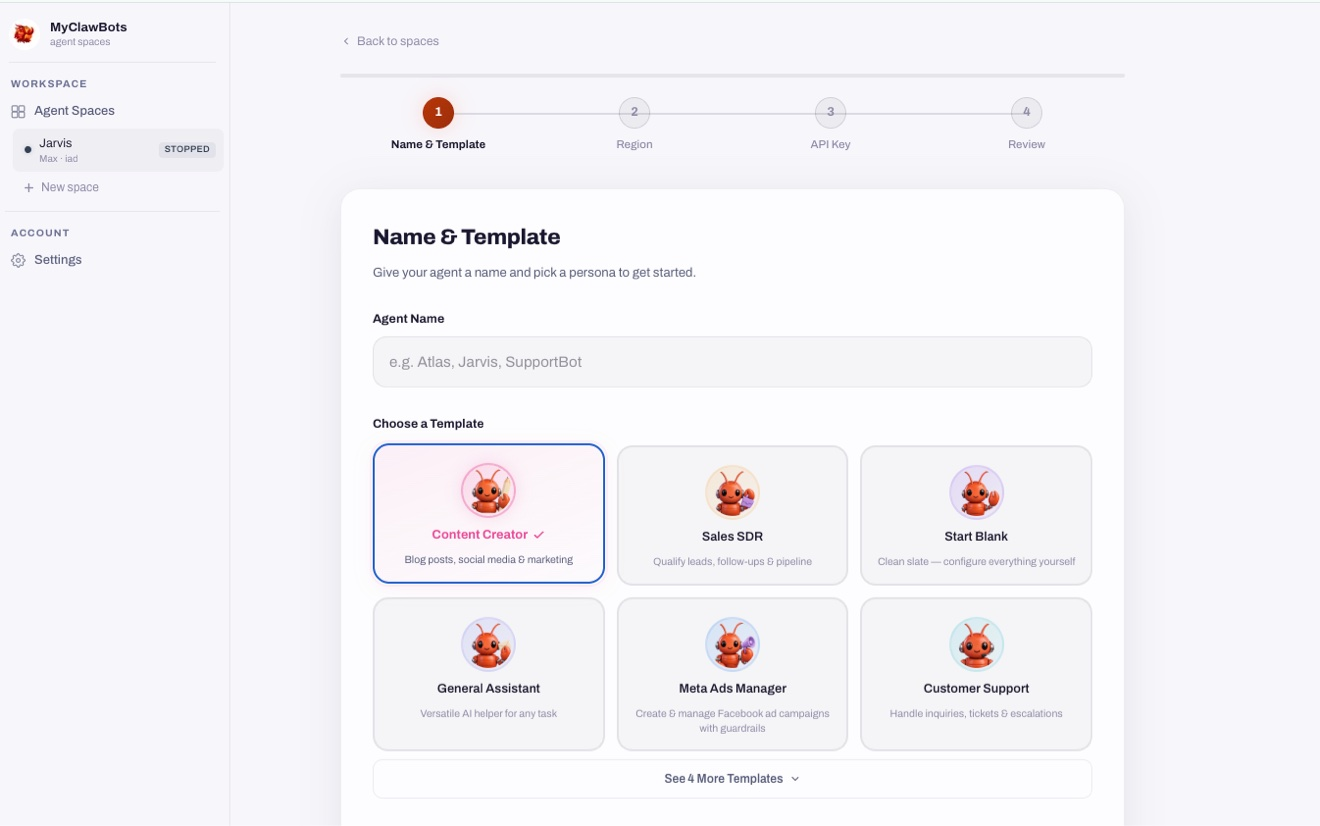
1. Name it and pick the Content Creator template
Start a new agent space, give the agent a name, and choose the Content Creator template. It is built for blog posts, social media, and marketing, so it starts with the right instincts instead of a blank slate. Start Blank exists if you want full control, but the template saves you the configuring.
2. Choose a region
Pick where the agent lives. US East is the recommended default. This is the isolated cloud environment the agent runs in, separate from everything else you own.
3. Connect your AI model
Bring your own API key from any provider. The setup shown here uses Anthropic with claude-haiku-4.5, the recommended model for this template. Your key is encrypted and never exposed. If you already pay for Claude or ChatGPT, this is the fast part.
4. Review and hit Spawn Agent
The review screen shows everything at a glance: name, region, AI connection, template. What you get: the OpenClaw agent runtime, an isolated cloud environment, a built-in chat interface, and integrations ready to connect. Hit Spawn Agent and it is up in about a minute.
What it does after launch
The agent drafts content in your voice and posts it to your connected social accounts on a schedule. You tell it the accounts, the cadence, and the topics. It does the writing and the posting. You check in when you want, not because something is waiting on you.
The part people miss: connect your social accounts first. An agent with no connected accounts is a writer with no publisher. The integrations are ready on day one, so this takes minutes, not a project.
The honest limits
First, it writes in your voice only as well as you describe it. Give it examples of posts you like and ones you do not. Two or three rounds of "more like this, less like that" and it locks in.
Second, it does not know what is trending unless you tell it or point it at sources. A content agent fed yesterday's news writes yesterday's posts. Tell it where to look.
Third, keep a human in the loop at the start. Let it draft for a week before you let it post unsupervised. You will catch the tone misses early, and then you can trust it.
Finally, cost. MyClawBots runs Lite at $29/mo, Pro at $59, Max at $119, and Team at $59 per seat, with a 3-day free trial and no credit card required. One setup, one minute, and the trial is enough to see a week of drafts.
What to do next
Open MyClawBots, start a new agent space, and pick the Content Creator template. By the time your coffee is done, you will have an agent waiting for its first assignment: tell it what to write about this week.